




Prepare your artwork for perfect presses.
These guidelines show you how to set up artwork so your transfers print cleanly, peel smoothly, and last wash after wash.
Overview
This is your complete toolkit for converting, designing, and prepping artwork before uploading. Follow these best practices to avoid delays and make sure your transfers look exactly the way you want.
Color Profiles
Convert all artwork to CMYK before uploading.

RGB is designed for screens. Artwork saved in RGB will look different when printed—often darker than expected.
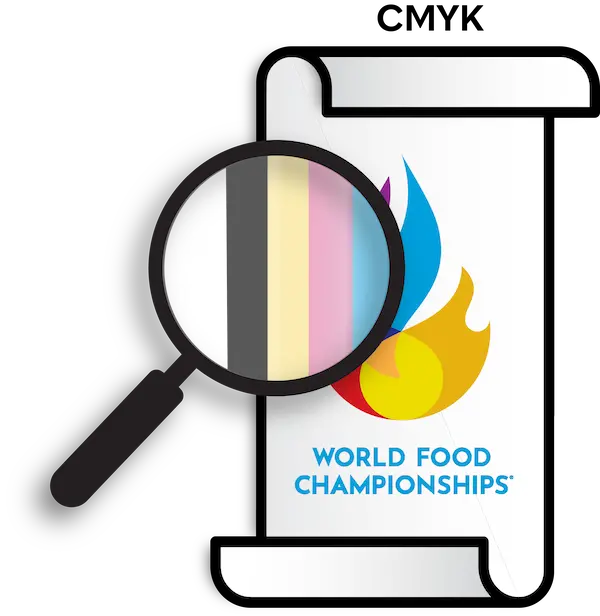
Converting artwork to the CMYK (Cyan, Magenta, Yellow, and Black) color profile before submitting will ensure it’s optimized for printing.
Vector & Raster Art
Each has its own benefits and we take both. Check to see if your artwork is vector or raster by opening it and zooming in.

- Stays sharp at any size
- Clean edges = classic screen-printed look
- Best for: EPT®, Full Color Fusion®, DTF
- Made of pixels; can blur if scaled too large
- Minimum 300 DPI recommended
- Best for: photoreal images, gradients, detailed designs
Lines & Knockouts (Vector Art)
Objects and lines in your vector art should be at least 1pt thick and areas between objects and lines (knockouts) should be at least 2pt thick to ensure your artwork prints properly.
To check the thickness of the details in your artwork, open it in a program that uses vectors such as Adobe Illustrator or Corel Draw.
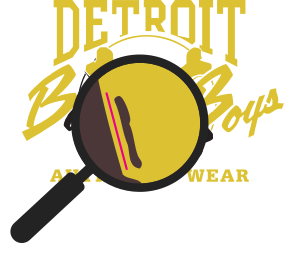
Once opened in a vector program, draw a 1pt line and compare that line to any concerning objects in your art.
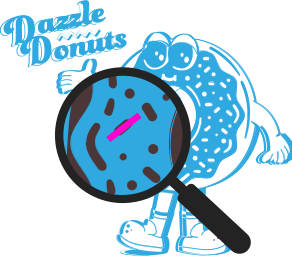
Once opened in a vector program, draw a 2pt line and compare that to any concerning knockout areas in your art.
Color Gradients & Halftones
If the artwork has already been created before it has been decided which type of heat transfer to order, how colors transition between each other in the artwork might play a major role in determining which heat transfer product to order.
When transitioning from one color to another, there are two techniques to do it: gradients or halftones. Use the appropriate technique for the type of heat transfer you want to order.

When you zoom into gradients created with programs that use vectors, you can still see that the transition between colors is seamless. For raster gradients it’s the same, but eventually you will see the individual pixels making up the gradient if you zoom in close enough.
Best for: Full Color Fusion®, DTF

When you zoom into half tones, you can see that that the transition between colors is made up of individual dots that vary in size and the spacing between them to create the effect of a gradient.
Best for: Full Color Fusion® (vector areas), EPT®
Specialty Inks
When printing your art it’s important for us to note that not all inks in our stock work the same way. The following inks are ones to pay attention to when selecting them for your artwork.
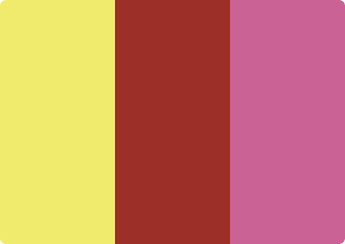
Neons, Pantone, Mid Red, Magenta
These inks print transparent and are best printed on white garments or backed with white ink to ensure proper opacity and vibrance.

Reflective
Reflective ink is best used with less complex images so its reflectiveness is more apparent in your art.
Clear
Works best on black or dark colored garments.

Glow in the Dark
Glow is a transparent layer used to coat areas of your art, so it needs to be printed on top of other colors.
Cutting Services
You can request to have your transfers cut and separated before they’re delivered. Review the guidelines below to see how your artwork will need to be ganged on the sheet so it can be cut by our machines.
Cutting fee: $0.80 per sheet.
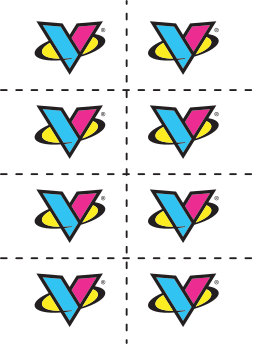
Our machines make straight cuts that pass through the entire sheet so your artwork will need to be ganged up with this in mind.
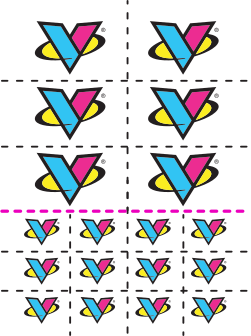
If you would like cuts to be made that don’t pass through the entire transfer, the cuts will need to be placed in a way so the sheet can be cut into two sections first, with the remaining cuts being made afterwards. We are not able to make diagonal cuts.